This article was written by the NIPPON VISA & LIFE editorial team based on information from public organizations such as the national government and local governments. Rules and fees may differ depending on the city, ward, town or village where you live.
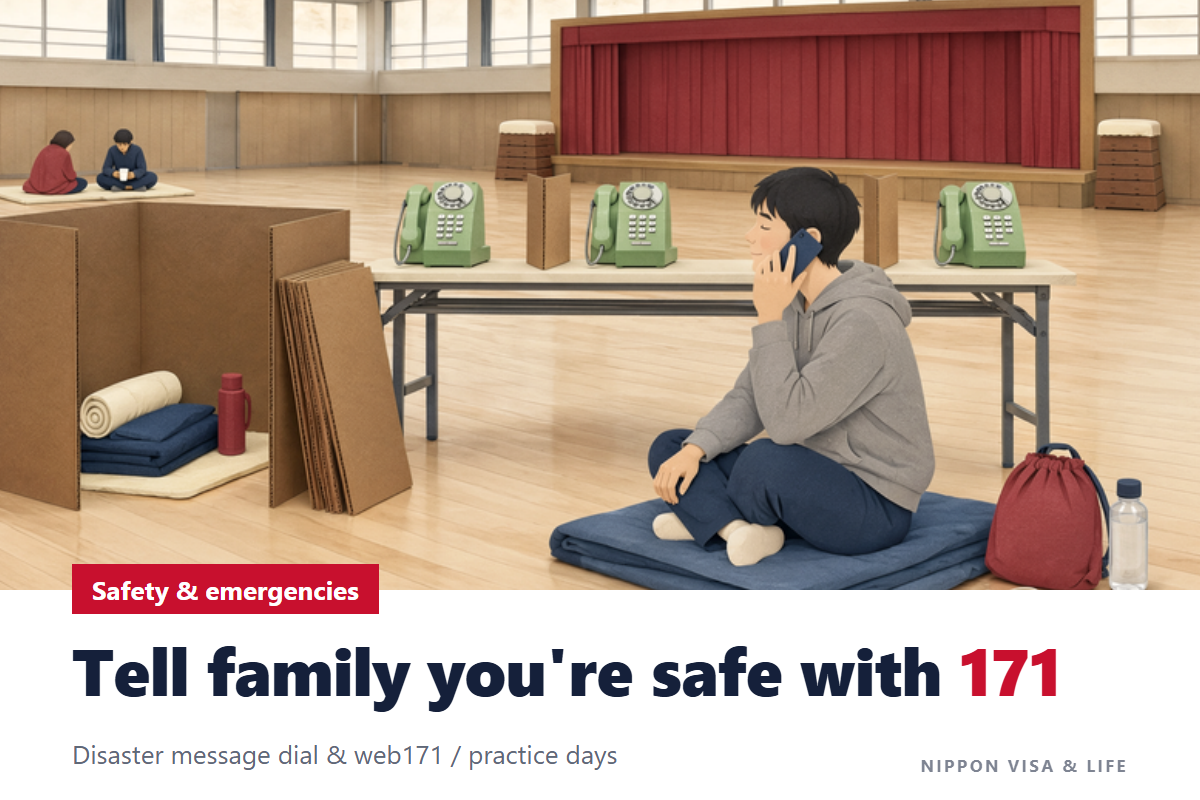
When a major disaster such as a large earthquake strikes Japan, phone lines to the affected area become extremely busy, and calls become hard to get through. In that case, you can let your family and friends know you are safe by recording a voice message on “171” by phone or posting a text message on “web171” on the internet. Both services work by leaving and checking messages under the same phone number, so it is important to decide with your family in advance which phone number you will use.
The Short Answer: 3 Ways to Tell People You Are Safe During a Disaster
| Method | What you use | Type of message | Can it be used from overseas? |
|---|---|---|---|
| Disaster Emergency Message Dial (171) | Landline phones, public phones, mobile phones, etc. | Voice (up to 30 seconds per message) | No |
| Disaster Emergency Message Board (web171) | Computers, smartphones, etc. (internet) | Text (100 characters or fewer per message) | Yes, if you can connect to the internet |
| Disaster message boards of mobile phone companies | Mobile phones and smartphones | Text (a comment of up to 100 characters) | Check each mobile phone company’s information |
- None of them require an application or a contract.
- You can use them when a major disaster has occurred and calls to the affected area have become hard to get through. On trial days, such as the 1st and 15th of every month, you can practice even in normal times.
- Messages are kept for each phone number. The number used to record or post a message is the home landline number or the mobile phone number of the person in the affected area.
(Sources: Ministry of Internal Affairs and Communications “Disaster Message Services” (総務省「災害用伝言サービス」), NTT East “Q&A: Do I need to apply or sign a contract to use the Disaster Emergency Message Dial (171)?”, NTT East “Q&A: Can I record and play back messages from anywhere?”, NTT East “Q&A: Can the Disaster Emergency Message Board (web171) be used from overseas?”)
Why Phone Calls Become Hard to Get Through During a Disaster
When a major disaster occurs, a huge number of calls to check on the safety of family members and acquaintances are made to the affected area all at once. According to the Ministry of Internal Affairs and Communications, right after the Great East Japan Earthquake, at some mobile phone companies, calls were temporarily concentrated at up to about 50 to 60 times or more the normal volume.
171 connects to message centers (facilities that hold messages) located outside the affected area, so it is easier to get through even when calls to the affected area are congested. The Ministry of Internal Affairs and Communications asks people to keep calls short and to refrain from non-urgent calls and repeated redialing.
(Sources: Ministry of Internal Affairs and Communications “Disaster Message Services” (総務省「災害用伝言サービス」), NTT East “Q&A: Are there times when I cannot get through to the Disaster Emergency Message Dial (171)?”)
How to Use the Disaster Emergency Message Dial (171)
Phones You Can Use to Call 171, and the Phone Number to Leave a Message Under
You can call 171 from landline phones (subscriber telephones, Hikari Denwa, etc.), public phones, mobile phones and so on. Check with your mobile phone company whether you can use it from a mobile phone and what the call charges are.
Messages are recorded under the phone number of the person in the affected area. The numbers you can use are landline numbers (numbers starting with an area code), mobile phone numbers and IP phone numbers. For a landline number, always enter it starting from the area code (for example, for a number starting with “03”, start from “03”).
(Sources: NTT East “Disaster Emergency Message Dial (171): Overview and How the Service Is Provided”, Ministry of Internal Affairs and Communications “Disaster Message Services” (総務省「災害用伝言サービス」))
Recording a Message (Telling Others You Are Safe)
- Call 171
- After the voice guidance, press 1 (record)
- Enter the phone number to leave the message under, starting from the area code (for a person in the affected area, their home phone number, etc.)
- On a push-button phone (a phone you call by pressing number buttons), press 1
- After the “beep”, speak for up to 30 seconds
- When you have finished speaking, press 9 (the recorded message is played back; to record it again, press 8). The message remains even after you hang up
Example message (from NTT East’s guidance): “This is Yoko. Everyone in the family is safe, and we have evacuated to Chuo Elementary School. I will contact you when things calm down.”
Your message will be easier to understand if you briefly say your name, whether you are safe, where you are and when you plan to contact them next.
(Source: NTT East “Disaster Emergency Message Dial (171): How to Record a Message”)
Playing Back a Message (Checking That Your Family Is Safe)
- Call 171
- After the voice guidance, press 2 (play back)
- Enter the phone number of the person whose safety you want to check, starting from the area code
- On a push-button phone, press 1
- Messages play starting with the newest. To listen again, press 8; to go to the next message, press 9
- At the end, to add a recorded message, press 3
(Source: NTT East “Disaster Emergency Message Dial (171): How to Play Back a Message”)
Making a Message That Only Your Family Can Hear (PIN)
Decide on a 4-digit PIN (you can choose any numbers) in advance among your family and friends. After calling 171, press 3 to record a message with a PIN, or press 4 to play back a message with a PIN. Only people who know the PIN can listen to that message.
(Sources: NTT East “Q&A: I do not want anyone other than my family, relatives and friends to hear my messages. Is there a way?”, NTT East “Q&A: How do I enter a PIN?”)
Rules for 171 (Recording Time, Number of Messages and Charges)
| Item | Details |
|---|---|
| Recording time | Up to 30 seconds per message |
| Number of messages that can be kept per phone number | 1 to 20 messages (announced at the time of a disaster). When the limit is exceeded, the oldest messages are deleted first |
| How long messages are kept | Until the 171 service ends (during trial use, until the trial period ends) |
| Can messages be deleted? | You cannot delete a message yourself once it has been recorded |
| Charges | Using the message center is free. Calls from NTT East and NTT West phones are also free. For call charges when calling from a mobile phone or another company’s phone, check with that company |
| Language of the guidance | Japanese only (instructions in English are on NTT East’s English page) |
The recording time, the number of messages and other conditions are decided by NTT according to the situation at the time of a disaster, and announced on TV, radio and its website.
(Sources: NTT East “Disaster Emergency Message Dial (171): Overview and How the Service Is Provided”, NTT East “Q&A: What happens when the number of messages that can be registered is exceeded?”, NTT East “Q&A: Can I delete a message once I have recorded it?”, NTT East “Q&A: Please tell me about the charges.”, NTT East “Q&A: Is there guidance in English or other languages besides Japanese?”)
How to Use the Disaster Emergency Message Board (web171)
web171 is a system that lets you post and check text messages for each phone number on the internet. You can use it from computers, smartphones, tablets and so on. Besides Japanese, you can choose English, Korean or Chinese for the screen.
Posting a Message on web171
- Open web171 (https://www.web171.jp/)
- Enter the phone number you want to post a message under using numbers only, without “-“, and press “登録” (Register)
- Enter your name (in hiragana), your safety status (your current situation; you may select as many as you like) and a message (up to 100 characters), and press “登録” (Register) (you must enter either the safety status or the message)
Checking a Message on web171
Open web171, enter the phone number of the person whose safety you want to check, and press “確認” (Check). By searching the same phone number on web171, you can also see whether any messages have been recorded on 171.
What You Can Do by Registering on web171 in Advance (Setting Up Notification Contacts)
If you register your phone number, email address and a password for updates, along with the people you want to notify of your messages (notification contacts), in advance under “伝言板の登録・更新・削除” (Register, update or delete message board settings) on web171, a notice will be sent to those people by email or phone (voice) when you post a message. You can register up to 10 email notification contacts and 1 phone (voice) notification contact. You can also use the registered email addresses to limit who can see your messages.
Rules for web171
| Item | Details |
|---|---|
| Number of characters per message | 100 characters or fewer per message |
| Number of messages that can be kept per phone number | Up to 20. When the limit is exceeded, the oldest messages are deleted first |
| How long messages are kept | Up to 6 months (during trial use, the trial period) |
| Charges | Posting and checking messages is free. Internet data charges and similar costs are separate |
| From overseas | Can be used if you can connect to the internet |
(Sources: NTT East “Disaster Emergency Message Board (web171): Overview and How the Service Is Provided”, NTT East “Disaster Emergency Message Board (web171): How to Post and Check Messages”, NTT East “Disaster Emergency Message Board (web171): Setting Up Notification Contacts When Posting Messages”, NTT East “Q&A: I do not want anyone other than my family, relatives and friends to see my messages. Is there a way?”, NTT East “Q&A: Can messages registered on the Disaster Emergency Message Dial (171) be checked on the Disaster Emergency Message Board (web171)?”, Disaster Emergency Message Board (web171))
Disaster Message Boards of Mobile Phone Companies
Mobile phone companies also each provide a “disaster message board”. During a disaster, information about it appears on the top screen of each company’s official website.
- Posting: From a mobile phone in the affected area, choose an option such as “I am safe.” and enter a comment of up to 100 characters to post it.
- Checking: This can be done from anywhere in Japan, including from computers. Search by entering the mobile phone number of the person whose safety you want to check.
- Up to 10 messages can be posted per phone number, and when there are more than 10, the oldest are overwritten first. There are no usage fees or packet data charges (packet data charges apply when you view another company’s message board).
Each company’s message board and web171 can be searched together from other companies’ message boards. Links to each company’s disaster message board are collected on the Ministry of Internal Affairs and Communications’ page.
(Sources: Ministry of Internal Affairs and Communications “Disaster Message Services” (総務省「災害用伝言サービス」), NTT East “Q&A: Can I search for messages registered on the Disaster Emergency Message Board (web171) from the disaster message boards of mobile phone companies?”)
When Telling Family Members Overseas That You Are Safe
- 171 cannot be called from overseas. Family members overseas cannot listen to 171 messages.
- web171 can also be used from overseas if you can connect to the internet. You can also check on web171 whether any messages have been recorded on 171. The screen can also be switched to English, Korean or Chinese.
- The voice guidance for 171 is in Japanese only. With family members who would find Japanese voice guidance difficult, it is reassuring to agree in advance to use web171, where you can communicate by text.
- Messages written in languages other than Japanese on mobile phone companies’ disaster message boards are not played back correctly on 171 (there is a system that converts text messages on mobile phone companies’ message boards into voice so they can be heard on 171).
(Sources: NTT East “Q&A: Can I record and play back messages from anywhere?”, NTT East “Q&A: Can the Disaster Emergency Message Board (web171) be used from overseas?”, NTT East “Q&A: If a message is registered in a language other than Japanese on a disaster message board (mobile phone), can it be played back on the Disaster Emergency Message Dial (171)?”)
Trial Days When You Can Practice with 171 and web171 in Normal Times
So that you can learn how to use them in preparation for a disaster, you can try out (practice with) 171 and web171 on the following days. Try actually leaving a message and checking it together with your family and friends.
| Trial days | Hours |
|---|---|
| The 1st and 15th of every month | 0:00 to 24:00 |
| The first three days of the New Year | January 1, 0:00 to January 3, 24:00 |
| Disaster Prevention Week | August 30, 9:00 to September 5, 17:00 |
| Disaster Prevention and Volunteer Week | January 15, 9:00 to January 21, 17:00 |
Trial use may not be available when a disaster has occurred. During trial use as well, calls from NTT East and NTT West phones are free.
(Sources: NTT East “Disaster Emergency Message Dial (171): Information on Trial Use”, NTT East “Disaster Emergency Message Board (web171): Information on Trial Use”)
Problems and Common Mistakes When Using 171 and web171
What If You Hear “被災地以外の電話番号ではご利用できません” (This Service Cannot Be Used with Phone Numbers Outside the Affected Area)?
On 171, you may hear this guidance if you dial a landline number outside the affected area. Messages are recorded and played back under the phone number of the person in the affected area. Decide in advance among your family which phone number to use.
(Source: NTT East “Disaster Emergency Message Dial (171): Notes and Requests on Operation”)
What Happens If People in the Affected Area Do Not Leave Messages?
According to NTT East, in past disasters, most 171 messages were inquiries from outside the affected area, and there were very few “I am safe” messages from inside the affected area. If you are in the affected area, leave a message yourself.
(Sources: NTT East “Q&A: What should I be careful about when using the Disaster Emergency Message Dial (171)?”, NTT East “Disaster Emergency Message Dial (171): Notes and Requests on Operation”)
Can You Delete a Message You Recorded by Mistake on 171?
Once a 171 message has been recorded, it cannot be deleted. On a push-button phone, when you press 9 after finishing speaking, the message is played back, and if you press 8 at that point, you can record it again.
(Sources: NTT East “Q&A: Can I delete a message once I have recorded it?”, NTT East “Disaster Emergency Message Dial (171): How to Record a Message”)
Things to Decide with Your Family in Advance
- The phone number to leave messages under (your home landline, or whose mobile phone)
- Whether to use 171 or web171 (web171 with family members overseas)
- The 4-digit PIN for 171
- Practicing once for real on a trial day
For preparing before a disaster, please also see this article.
Primary Sources Referenced in This Article
- Ministry of Internal Affairs and Communications “Disaster Message Services” (総務省「災害用伝言サービス」)
- NTT East “Disaster Emergency Message Dial (171)”
- NTT East “Disaster Emergency Message Dial (171): Overview and How the Service Is Provided”
- NTT East “Disaster Emergency Message Dial (171): How to Record a Message”
- NTT East “Disaster Emergency Message Dial (171): How to Play Back a Message”
- NTT East “Disaster Emergency Message Dial (171): Notes and Requests on Operation”
- NTT East “Disaster Emergency Message Dial (171): Information on Trial Use”
- NTT East “Q&A: Disaster Emergency Message Dial (171)”
- NTT East “Disaster Emergency Message Board (web171): Overview and How the Service Is Provided”
- NTT East “Disaster Emergency Message Board (web171): How to Post and Check Messages”
- NTT East “Disaster Emergency Message Board (web171): Setting Up Notification Contacts When Posting Messages”
- NTT East “Disaster Emergency Message Board (web171): Information on Trial Use”
- NTT East “Q&A: Disaster Emergency Message Board (web171)”
- Disaster Emergency Message Board (web171)
This article is a translation of the original Japanese version.