This article was written by the NIPPON VISA & LIFE editorial team based on information from public organizations such as the national government and local governments. Rules and fees may differ depending on the city, ward, town or village where you live.
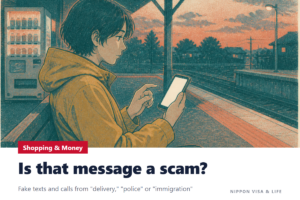
In Japan, if charges you did not make appear on your credit card statement or in an email from your mobile carrier, contact the card company or mobile carrier right away. Many cases have been reported in which people entered their card number or password into a fake email or SMS (text message), and then someone made purchases without their permission.
The basics of money and shopping are explained in The Basics of Money and Shopping in Japan: Bank Accounts, Ways to Pay, Consumption Tax, Smartphone Contracts, Sending Money Abroad and Where to Get Help.
The Short Answer: What to Do When You Find a Charge You Do Not Recognize
- Check the statement: Check when, where and how much you were charged, using your usage statement or notification emails.
- Contact the card company or mobile carrier: For a credit card, contact the card company. For payments charged together with your smartphone bill (carrier billing), contact your mobile carrier. Do not use the link in an email. Use the contact information shown in the company’s official app or website.
- Change your passwords and other details: If you entered your ID or password into a fake website, change it right away. Also change it for any other services where you use the same password.
- Get help from the police or a Consumer Affairs Center: If you have suffered damage, consult your nearest police station. If you do not know what to do, call the Consumer Hotline “188.”
(Source: Consumer Affairs Agency, “Safe and Secure Use of the Internet”, National Police Agency, “Phishing Countermeasures”)
Common Ways Credit Cards and Carrier Billing Are Used Without Permission
The Ministry of Economy, Trade and Industry and the Consumer Affairs Agency are warning that damage from unauthorized use of credit cards has increased sharply. A common pattern is as follows.
| Common step | Example |
|---|---|
| A fake email or SMS arrives | It arrives in the name of a card company, online shopping site, delivery company or mobile carrier, saying things like “Unauthorized use has been detected” or “We took your package back” |
| You enter information on a fake website | On a website that looks exactly like the real one, you enter your card number, ID, password, PIN and so on |
| Someone uses it without permission | Purchases you do not know about are made on online shopping sites, gift card sales sites, online games, etc. |
| You notice later | You notice on your card usage statement or in a payment notice from your mobile carrier |
Carrier billing is a way of shopping with your mobile carrier ID and password and paying the cost together with your smartphone bill. The name differs depending on the mobile carrier.
(Source: Ministry of Economy, Trade and Industry, “Caution! Damage from Unauthorized Use of Credit Cards Is Increasing Sharply”, National Consumer Affairs Center of Japan, “Beware of Fake SMS Pretending to Be Mobile Carriers!”, National Consumer Affairs Center of Japan, “Be on Guard Against Fake SMS and Emails Pretending to Be Online Shopping Sites, Card Companies, Delivery Companies and Others!”)
1. Check the Statement
- For a credit card, check your usage statement every month before the day the payment is withdrawn from your bank account. The Ministry of Economy, Trade and Industry advises contacting the card company right away if there is a charge you do not recognize.
- For carrier billing, check the payment notices (emails, etc.) from your mobile carrier and your bill statement.
Do not open the statement from a link in an email. View it in the official app of the card company or mobile carrier, or on the official website that you registered yourself.
(Source: Ministry of Economy, Trade and Industry, “Caution! Damage from Unauthorized Use of Credit Cards Is Increasing Sharply”, National Consumer Affairs Center of Japan, “That Email Is a Phishing Scam!”)
2. Contact the Card Company or Mobile Carrier
| What was used | Who to contact |
|---|---|
| Credit card | The company that issued the card (the contact point shown in its official app or website) |
| Carrier billing (payments charged together with your smartphone bill) | The mobile carrier you have a contract with, and the shop (website) where the payment was used |
| Bank account (transfers you do not know about) | The bank where you have the account |
According to the National Police Agency, card companies may have compensation systems and consultation services for unauthorized use of credit cards, and banks and others may have them for unauthorized transfers. The conditions for compensation differ by company, so ask when you contact them.
Among the consultation cases introduced by the National Consumer Affairs Center of Japan, there is a case where the person contacted the card company, had the card stopped, and had a new card made (reissued).
(Source: National Police Agency, “Phishing Countermeasures”, National Consumer Affairs Center of Japan, “Beware of Fake SMS Pretending to Be Mobile Carriers!”, National Consumer Affairs Center of Japan, “That Email Is a Phishing Scam!”)
3. Change Your Passwords and Settings
If you entered your ID or password into a fake website, do the following.
- Change that ID or password right away.
- Change it for all other services where you use the same ID or password.
- Change the password and PIN for carrier billing, and the carrier billing settings (such as the amount that can be used).
(Source: National Police Agency, “Phishing Countermeasures”, National Consumer Affairs Center of Japan, “Beware of Fake SMS Pretending to Be Mobile Carriers!”)
4. Get Help from the Police or a Consumer Affairs Center
| What you want help with | Where to go |
|---|---|
| You suffered damage and want to tell the police | Your nearest police station. Damage on the internet can also be reported through the National Police Agency’s “Online Reception Desk for Reports on Cyber Incidents” |
| You want to ask the police what to do | Police consultation line #9110 |
| You want help with it as a shopping or contract problem | Consumer Hotline 188 (a nationwide number that guides you to a nearby Consumer Affairs Center or similar office) |
| You found a fake website | Report the URL to Phishing 110 (the Internet Hotline Center) |
To file a damage report (higaitodoke), contact your nearest police station. In an emergency where a life is at risk, call 110.
If you are worried about consulting in Japanese, the consultation desk for foreign residents in your city, ward, town or village may be able to tell you how to get help.
Details of where to get help with shopping and contracts are explained in Where to Get Help With Shopping and Contract Problems in Japan: Consumer Hotline 188, Consumer Affairs Centers and Cooling-off.
(Source: National Police Agency, “Consultation Desks for Cyber Incidents”, National Police Agency, “Phishing Countermeasures”, Consumer Affairs Agency, “Consumer Hotline”, National Consumer Affairs Center of Japan, “Beware of Fake SMS Pretending to Be Mobile Carriers!”)
Settings That Prevent Unauthorized Use Next Time
| Measure | Details |
|---|---|
| Set up 3D Secure (identity authentication service) | A system that checks whether you are the cardholder with a password or a one-time password (a password that changes each time you use it) when you shop online. The Ministry of Economy, Trade and Industry recommends setting it up early, because cards without it may no longer be usable at online shops and elsewhere. You need to set it up yourself |
| Use usage notifications | Some card companies offer a service that immediately tells you the shop and amount when your card is used |
| Lower the limit | Set the maximum amount that can be used with your card or carrier billing (usage limit) to only what you need. Carrier billing can also be set so that it cannot be used |
| Use two-step verification and one-time passwords | Even if your ID and password are stolen, it becomes harder for someone to log in |
| Do not reuse passwords | Use a different password for each service |
| Check statements often | Check your credit card, carrier billing and internet banking statements often |
(Source: Ministry of Economy, Trade and Industry, “Set Up the Identity Authentication Service for Safe Credit Card Use!”, Ministry of Economy, Trade and Industry, “Caution! Damage from Unauthorized Use of Credit Cards Is Increasing Sharply”, National Consumer Affairs Center of Japan, “That Email Is a Phishing Scam!”, Consumer Affairs Agency, “Safe and Secure Use of the Internet”, National Consumer Affairs Center of Japan, “Beware of Fake SMS Pretending to Be Mobile Carriers!”)
When You Are in Trouble and Common Mistakes
I received an email from my card company saying “We have detected unauthorized use.” Can I click the link to check?
Do not click the link. The Ministry of Economy, Trade and Industry and the Consumer Affairs Agency say that card companies and others do not suddenly ask you to enter your card number by email or SMS. Check whether the notice is real on the official website that you registered yourself, or in the card company’s official app.
I entered my card number, but no charge has come yet. What should I do?
Even if no charge has come, contact the card company right away. Tell them that you entered the number, and discuss whether to stop the card or have a new one made.
I entered my two-step verification number (verification code) on a fake website as I was told
The National Consumer Affairs Center of Japan warns that even if you have set up two-step verification, there are cases where carrier billing is used without permission after people enter the verification details they received into a fake website. Contact your mobile carrier right away and change your password and carrier billing settings.
The charge I do not recognize is small. Can I just leave it?
Even if the amount is small, contact the card company or mobile carrier. The Ministry of Economy, Trade and Industry advises contacting the card company right away if there is a charge you do not recognize.
Tricks used in scam emails, SMS and phone calls, and what to do when you notice them, are explained in What to Do About Scam Emails, Text Messages and Phone Calls in Japan: Tricks Pretending to Be Delivery Companies, the Police or Immigration, and Where to Get Help (#9110 and 188).
(Source: Consumer Affairs Agency, “Safe and Secure Use of the Internet”, Ministry of Economy, Trade and Industry, “Caution! Damage from Unauthorized Use of Credit Cards Is Increasing Sharply”, National Consumer Affairs Center of Japan, “Beware of Fake SMS Pretending to Be Mobile Carriers!”, National Consumer Affairs Center of Japan, “That Email Is a Phishing Scam!”)
Primary Sources Referenced in This Article
- Ministry of Economy, Trade and Industry, “Caution! Damage from Unauthorized Use of Credit Cards Is Increasing Sharply”
- Ministry of Economy, Trade and Industry, “Set Up the Identity Authentication Service for Safe Credit Card Use!”
- Consumer Affairs Agency, “Safe and Secure Use of the Internet”
- Consumer Affairs Agency, “Consumer Hotline”
- National Police Agency, “Phishing Countermeasures”
- National Police Agency, “Consultation Desks for Cyber Incidents”
- National Consumer Affairs Center of Japan, “Beware of Fake SMS Pretending to Be Mobile Carriers! Your Carrier Billing Is Being Targeted”
- National Consumer Affairs Center of Japan, “Be on Guard Against Fake SMS and Emails Pretending to Be Online Shopping Sites, Card Companies, Delivery Companies and Others!”
- National Consumer Affairs Center of Japan, “That Email Is a Phishing Scam!”
This article is a translation of the original Japanese version.